Cần hỗ trợ hoặc tư vấn Gọi Ngay + (84) 888 728 730

Category Archives: News

AI quotation extraction: what to test before importing into ERP
Category: Blog, News Comments: 0
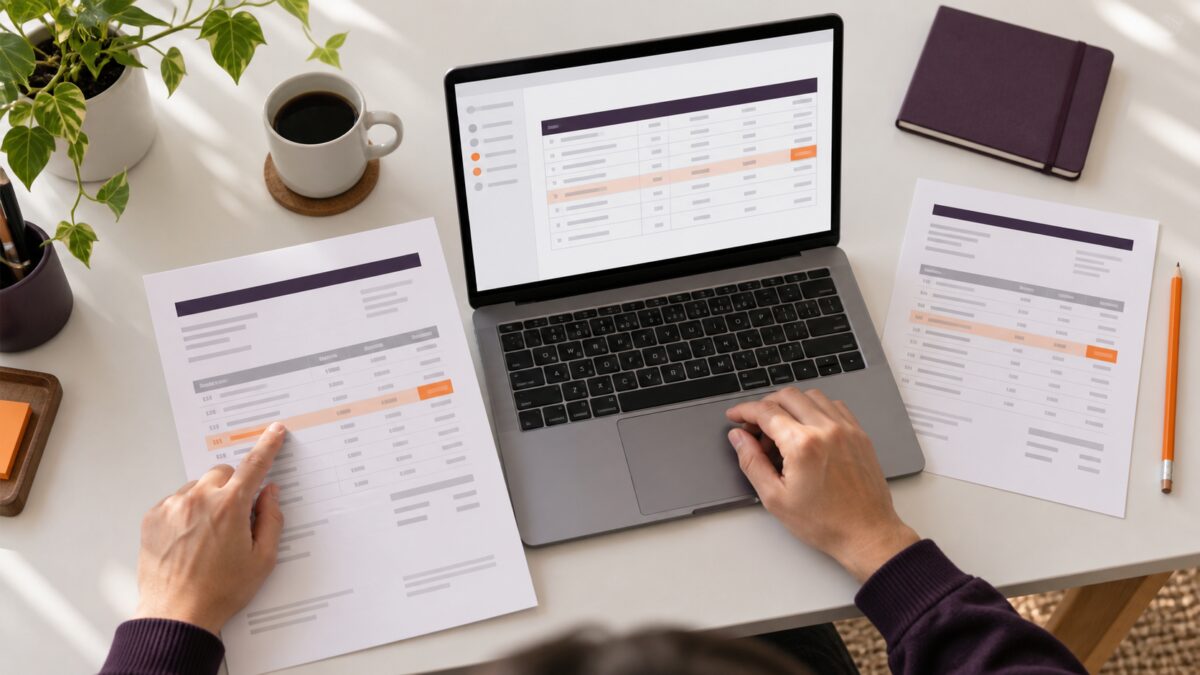
Quotation documents beside a laptop table illustrating a review of AI-extracted business data

Reading a quotation PDF successfully is not the same as producing data that is safe to import into ERP. Before connecting an automated workflow, test critical fields, difficult documents and the cases that require human approval. The aim is to prevent a small extraction error from becoming an incorrect transaction.

Quotation documents beside a laptop table illustrating a review of AI-extracted business data
AI-generated illustration, not an actual customer document or implementation.

Start with a test set and independently checked answers

Include quotations from different suppliers: text-based PDFs, scanned pages, multi-page tables and revised versions. Have a business reviewer establish the correct values from the originals before comparing the AI output. Do not use the model's own output as the answer key.

A small pilot could begin with 20 documents. That is a suggested starting point, not a sample size that proves performance across the whole business. Add missing document types before drawing broader conclusions.

Six failure cases worth testing

  1. Wrong units: cases, boxes, individual items or labour hours. In a hypothetical example, VND 120,000 for a box of 12 must not silently become VND 120,000 per item. Apply conversions only through an approved business rule.
  2. Wrong currency or number format: do not infer VND or USD from a supplier's location. Check currency labels, separators and a separate currency field.
  3. Missing or shifted line items: test page breaks, repeated table headings and descriptions spanning several lines. Compare line counts with the original, not only the total.
  4. Missing information: flag an empty field for review. Do not invent payment terms or quotation validity dates.
  5. Wrong version or duplicate import: a quotation number can have a revised document. Retain document identifiers and decide how revisions are handled before creating transactions.
  6. Failed reconciliation: compare quantities, unit prices, discounts and totals shown in the source. A business reviewer should resolve differences; the workflow should not change numbers merely to make them balance.

A high confidence score is not a business approval

Google Cloud's Document AI evaluation guidance distinguishes precision, recall and confidence thresholds. A confidence score is not a guarantee that a particular transaction is correct. Review results by field and by the impact of a potential error.

For fields that can change the supplier or payable amount, route early pilot results to an approval queue. Automate subsequent steps only after defining acceptance criteria, exception records and a way to stop invalid data from progressing.

Keep an audit trail that supports controlled retries

  • The source document and extractor version.
  • The extracted value, reviewer-confirmed value and reason for any change.
  • Validation results, approver and target transaction identifier.
  • Retry status so resubmitting a request does not create another transaction.

Frequently asked questions

Should AI connect directly to the live ERP at the start?

Begin with draft records or a test environment and a reviewer. A successful demonstration on a few documents is not evidence that every control can be removed.

Can the pilot use real quotations?

Use only data authorized for processing in an approved tool. Remove or mask information that is unnecessary for the test and restrict access to the sample set.

Planning a document-extraction pilot? Read the Google Drive handover checklist, explore Viet Nis services or request a consultation. Start with document types, expected volume and the destination system; do not send sensitive documents through a public form. Call +84 888 728 730.

Read more
Employee offboarding: a Google Drive handover checklist
Category: Blog, News Comments: 0

A Google Drive offboarding checklist should identify business files, establish ownership and test the incoming employee's access before the departing account is retired. Shared drives help keep team documents under organizational control. Sharing a folder in My Drive does not turn it into a Shared drive.

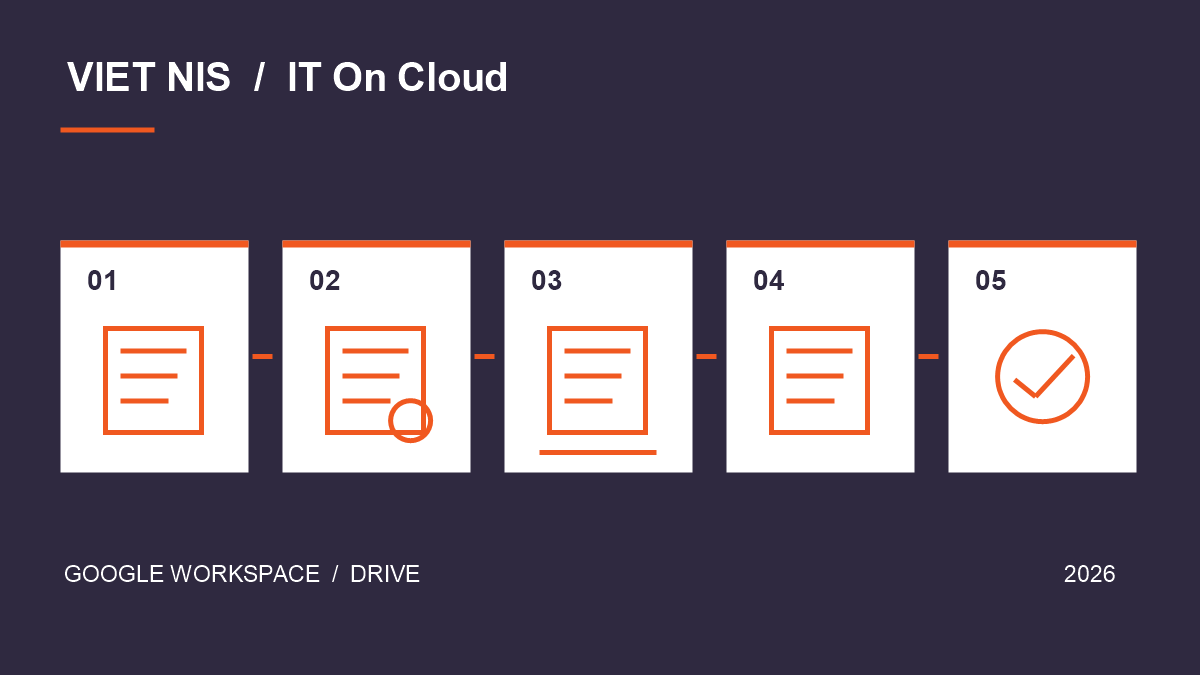
Five-step diagram for inventory, classification, handover, access testing and sign-off in Google Drive
Suggested workflow: inventory → classify → hand over → test → sign off. Original illustration by Viet Nis.

Why a shared folder still needs a handover

Google's documentation explains that Shared drive files belong to the organization and remain when a member leaves. My Drive uses a different ownership model. Check where documents actually live, rather than relying on the list of people who can open them.

Consider a hypothetical sales team: an account manager keeps quotations in My Drive and shares a folder with colleagues. The sales director can see it, but that alone does not establish that the business has completed a durable handover.

Five steps before retiring an account

  1. Inventory by business process. List quotations, agreements, trackers and project documents. Record the URL, owner, storage location and incoming custodian. Include forms, attachments and links that colleagues actively use.
  2. Classify ownership. Separate organizational files, externally owned material and personal data. Customer-owned documents require an access arrangement with their owner; not everything visible to an employee can be transferred.
  3. Choose a suitable handover method. Move team material to a Shared drive where the edition, permissions and file type allow it. Ask an administrator to assess ownership transfer or retention for exceptions. Test a small set before moving many files.
  4. Test as the recipient. Open existing links and confirm the required read, edit or download actions. Test external collaborators separately. A permissions list is not proof that the real workflow still works.
  5. Sign off and revoke access. Have the business owner accept the inventory. IT should handle the departing account, groups and sharing permissions through the offboarding procedure, recording unresolved exceptions.

Grant the access the role needs

Google distinguishes Manager, Content manager, Contributor, Commenter and Viewer. Use the Shared drive permissions table to match access to actual work. Someone who only reads documents does not need authority to manage members.

Keep a usable handover record

  • Document URL and storage location after handover.
  • Incoming custodian, required permissions and test result.
  • Exceptions, including external files and broken links.
  • Sign-off date and the person responsible for outstanding work.

Frequently asked questions

Is sharing a My Drive folder enough?

No. Access and ownership are different. Review each set of files and confirm that the recipient can perform the necessary work.

Do Shared drives replace backups?

Shared storage should not be the entire recovery plan. Define retention, backup and restore testing for important business data.

Where should a small business start?

Pilot the checklist with one department before the next staff change. Count broken links and documents without an incoming custodian to identify unfinished work.

Need help reviewing your company's Drive structure? Explore Google Workspace services from Viet Nis or request a consultation. Include your user count, current storage setup and handover date. Call +84 888 728 730.

Read more
The 3-2-1 Backup Strategy for Businesses
Category: News Comments: 0

Data is a business's most critical asset — yet many only realize the importance of backup after they've already lost it. The 3-2-1 rule is a simple, effective standard to make sure you never lose important data.

The 3-2-1 Backup Strategy for Businesses — Việt Nis IT On Cloud
The 3-2-1 Backup Strategy for Businesses

What is the 3-2-1 backup rule?

  • 3 copies of your data (1 primary + 2 backups).
  • 2 different media types (e.g. a hard drive + the cloud).
  • 1 copy off-site (cloud/remote) — safe from fire, theft or disaster.

Why does cloud data still need backup?

Many assume "if it's on Google Drive / OneDrive, it's perfectly safe". In reality, the cloud protects you from hardware failure but does not save you from: accidental deletion, malicious deletion by staff, account takeover and encryption (ransomware), or sync errors. So important cloud data still needs an independent backup.

The 3-2-1 Backup Strategy for Businesses — Việt Nis IT On Cloud
The 3-2-1 Backup Strategy for Businesses
Golden rule: a backup is only valuable once you have successfully tested a restore. Test recovery regularly — don't wait until an emergency.

A backup checklist for businesses

Item Recommended
Cloud email & documents Enable retention & version history; consider third-party backup
Server / accounting data Automatic daily backups, keep multiple restore points
Frequency Critical data: daily; rarely changed: weekly
Restore testing Test recovery at least quarterly
Backup security Encrypt, restrict access, prevent ransomware reaching backups

Safe backup for cloud-based work

Platforms like Google Workspace and Microsoft 365 include storage, version history and multi-day trash — a first line of defense. Combined with an independent 3-2-1 backup, your business becomes nearly immune to data loss.

The 3-2-1 Backup Strategy for Businesses — Việt Nis IT On Cloud
The 3-2-1 Backup Strategy for Businesses

Build a safe backup strategy

Viet Nis advises on the right cloud platform & backup solution for your business.

The 3-2-1 Backup Strategy for Businesses — Việt Nis IT On Cloud
The 3-2-1 Backup Strategy for Businesses

Contact us View services

The 3-2-1 Backup Strategy for Businesses — Việt Nis IT On Cloud
The 3-2-1 Backup Strategy for Businesses
Read more
Optimizing Software License Costs: Buy Through a Reseller or Direct?
Category: News Comments: 0

As businesses move to the cloud, monthly software license costs (Google Workspace, Microsoft 365 and other SaaS) can quietly balloon. The key question: should you buy directly from the vendor, or through a local reseller?

Optimizing Software License Costs: Buy Through a Reseller or Direct? — Việt Nis IT On Cloud
Optimizing Software License Costs: Buy Through a Reseller or Direct?

Why software costs balloon

  • Unused licenses: staff leave but their accounts keep billing.
  • Wrong plan: paying for a premium tier while only using basic features.
  • Foreign-currency payment: buying direct by international card adds conversion fees and makes VAT invoices hard.
  • No periodic review: nobody tracks the licenses actually in use.

Reseller vs. buying direct

Criteria Direct from vendor Through a reseller (like Viet Nis)
Payment International card, foreign currency VND, local bank transfer
VAT invoice Difficult / foreign invoice Valid VAT invoice
Price List price Often lower (Viet Nis −5%)
Support English, international hours Local language, direct support
Deployment & migration Do it yourself Setup & data migration help

5 ways to optimize license costs

  1. Review regularly: remove unused accounts every quarter.
  2. Right-size the plan: not everyone needs the top tier — see Google Workspace / Microsoft 365 plans.
  3. Buy through a local reseller: better price, VND, VAT invoice.
  4. Pay annually: usually cheaper than monthly.
  5. Mix plans by staff type: office staff and field staff have different needs.
Viet Nis helps businesses review licenses and choose the optimal plan for free — typically saving 10–20% of annual software cost, on top of prices that are already 5% below list.

Optimize your software costs with Viet Nis

Google Workspace & Microsoft 365 — 5% below list, VND billing, VAT invoices, local support.

Optimizing Software License Costs: Buy Through a Reseller or Direct? — Việt Nis IT On Cloud
Optimizing Software License Costs: Buy Through a Reseller or Direct?

Contact us View services

Optimizing Software License Costs: Buy Through a Reseller or Direct? — Việt Nis IT On Cloud
Optimizing Software License Costs: Buy Through a Reseller or Direct?
Read more
Hybrid Work: Building a Digital Office for Vietnamese Businesses
Category: News Comments: 0

After years of experimentation, hybrid work — partly in the office, partly remote — has become the default operating model for many businesses. The question is no longer "should we" but "how do we keep a distributed team productive, secure and connected".

Hybrid Work: Building a Digital Office for Vietnamese Businesses — Việt Nis IT On Cloud
Hybrid Work: Building a Digital Office for Vietnamese Businesses

What is hybrid work?

Hybrid work lets staff work flexibly from the office, home or anywhere, as long as the work gets done. To make it run smoothly, a business needs a "digital office" — where every document, meeting and process happens on a cloud platform accessible from any device.

Hybrid Work: Building a Digital Office for Vietnamese Businesses — Việt Nis IT On Cloud
Hybrid Work: Building a Digital Office for Vietnamese Businesses

Why hybrid work is here to stay

  • Attract & retain talent: top people prefer flexible workplaces.
  • Save costs: less office space and lower running costs.
  • Output-based productivity: measured by results, not hours at a desk.
  • Business continuity: keep operating even during unexpected disruptions.

The digital-office toolkit

An effective digital office needs four groups of tools, all available in Google Workspace or Microsoft 365:

Hybrid Work: Building a Digital Office for Vietnamese Businesses — Việt Nis IT On Cloud
Hybrid Work: Building a Digital Office for Vietnamese Businesses
Need Google Workspace Microsoft 365
Email & calendar Gmail, Calendar Outlook, Exchange
Online meetings Google Meet Microsoft Teams
Docs & collaboration Docs, Sheets, Slides Word, Excel, PowerPoint
Cloud storage Google Drive OneDrive, SharePoint

4 principles for effective hybrid work

  1. A single source of truth: every document lives in the cloud, not scattered on personal machines.
  2. Real-time collaboration: co-edit documents, reduce email attachments back and forth.
  3. User-centric security: enable multi-factor authentication (MFA) and clear role-based permissions.
  4. Standardize meetings: shared calendars, fixed virtual rooms, minutes stored in the cloud.
Start simple: move email and documents to the cloud first, then standardize online meetings and collaboration. See Cloud Computing Trends 2026 to understand the foundation.

Security when working from anywhere

Remote work widens the "attack surface". At a minimum, a business should: enable MFA on all accounts, use business email with anti-phishing filters, and back up data regularly. Learn why business email & data security matters more than ever.

Hybrid Work: Building a Digital Office for Vietnamese Businesses — Việt Nis IT On Cloud
Hybrid Work: Building a Digital Office for Vietnamese Businesses

Build a digital office for your business

Viet Nis consults, deploys and trains your team on Google Workspace / Microsoft 365 — 5% below list, VAT invoices.

Hybrid Work: Building a Digital Office for Vietnamese Businesses — Việt Nis IT On Cloud
Hybrid Work: Building a Digital Office for Vietnamese Businesses

Contact us View services

Hybrid Work: Building a Digital Office for Vietnamese Businesses — Việt Nis IT On Cloud
Hybrid Work: Building a Digital Office for Vietnamese Businesses
Read more
Digital Transformation for Vietnamese SMEs: A 2026 Roadmap
Category: News Comments: 0

Digital transformation is no longer "for big corporations only". For small and medium businesses (SMEs) in Vietnam, it is the most practical way to cut costs, work professionally and stay competitive in 2026 — without expensive infrastructure.

Digital Transformation for Vietnamese SMEs: A 2026 Roadmap — Việt Nis IT On Cloud
Digital Transformation for Vietnamese SMEs: A 2026 Roadmap

What does digital transformation really mean for an SME?

Digital transformation means moving your business activities — communication, collaboration, storage, sales, accounting — onto digital platforms so you operate faster, more transparently and with less dependence on paper and physical servers. For an SME, the key is not buying expensive software, but choosing the right cloud platform and rolling it out step by step.

Digital Transformation for Vietnamese SMEs: A 2026 Roadmap — Việt Nis IT On Cloud
Digital Transformation for Vietnamese SMEs: A 2026 Roadmap

Why start in 2026?

  • Cloud is now very affordable: a professional email & collaboration account costs only a few dollars per user per month.
  • Customers expect professionalism: domain-based email, e-contracts and fast responses are now the standard.
  • Flexible work: staff need access to data anytime, anywhere, on any device.
  • AI is built into office tools: Gemini and Copilot help you draft, summarize and analyze right inside familiar apps.

A 4-stage digital transformation roadmap

Stage What to do Outcome
1. Foundation Domain email, calendar, cloud storage, online meetings (Google Workspace or Microsoft 365) Professional, centralized, secure work
2. Collaboration Shared documents, real-time co-editing, internal approval flows Fewer emails, no more "final_v3" files
3. Automation E-signatures, forms, approval workflows, links to accounting/CRM Save time, reduce manual errors
4. Data & AI Centralized reporting, AI (Gemini/Copilot) to support decisions Faster, data-driven decisions
Advice: don't try to digitize everything at once. Complete Stage 1 (the cloud foundation) solidly first — it delivers the biggest visible change and sets the base for every later step.

Where to begin? The cloud foundation

Most Vietnamese businesses start most effectively with one unified cloud work platform:

Digital Transformation for Vietnamese SMEs: A 2026 Roadmap — Việt Nis IT On Cloud
Digital Transformation for Vietnamese SMEs: A 2026 Roadmap
  • Google Workspace — domain Gmail, Meet, Drive, Docs/Sheets/Slides; great for teams that value simplicity and fast collaboration.
  • Microsoft 365 — Outlook, Teams, OneDrive and the licensed Office suite; ideal for teams used to Word/Excel/PowerPoint.

Is cost a barrier?

No. A 10-person SME spends only a modest monthly amount for a full professional email & collaboration platform — far less than running an in-house mail server (hardware, power, maintenance, data risk). At Viet Nis, packages are 5% below list price, billed in VND with VAT invoices.

Digital Transformation for Vietnamese SMEs: A 2026 Roadmap — Việt Nis IT On Cloud
Digital Transformation for Vietnamese SMEs: A 2026 Roadmap

Need a roadmap for your business?

Viet Nis (IT On Cloud) offers free consulting, deployment and full data migration.

Digital Transformation for Vietnamese SMEs: A 2026 Roadmap — Việt Nis IT On Cloud
Digital Transformation for Vietnamese SMEs: A 2026 Roadmap

Contact us View services

Digital Transformation for Vietnamese SMEs: A 2026 Roadmap — Việt Nis IT On Cloud
Digital Transformation for Vietnamese SMEs: A 2026 Roadmap
Read more